
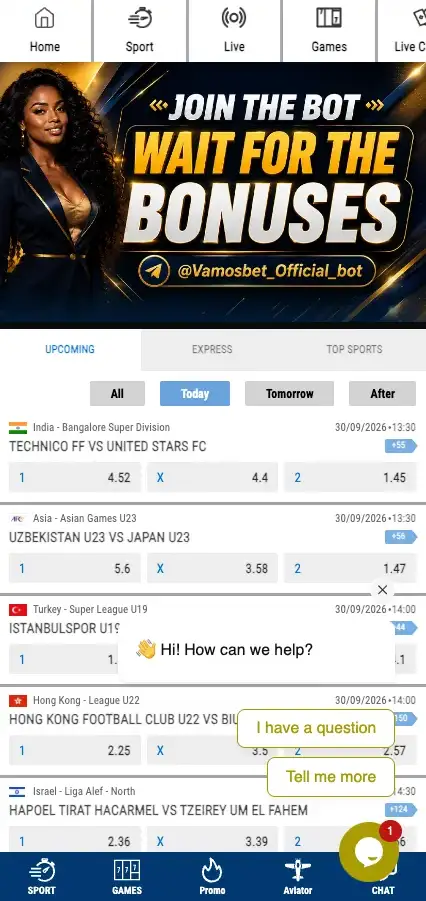
A Vamos Bet login starts with an account, and the account takes about a minute to create. The registration form on the reference site asks for a phone number, a password and a tick in the rules box. Nothing else is required up front.
This page walks through Vamos Bet registration, signing in on mobile and desktop, and what to do when the password slips your mind. Vamos Bet is an operator with a sportsbook and casino games; this is an independent information page, not the official site. You must be 18 or older to open an account.
18+ · Ethiopia
Who can register
Registration is open to adults only, so the minimum age is 18+. The phone field is pre-set to the Ethiopian code +251, which shows the form is built for local numbers. One person, one account: duplicate profiles are the fastest way to get an account blocked on any betting site.
Use your own real phone number and your own details. Accounts opened with someone else's data tend to run into trouble at withdrawal time.
How to register on Vamos Bet, step by step
The sign-up form is titled Create your account. It is short.
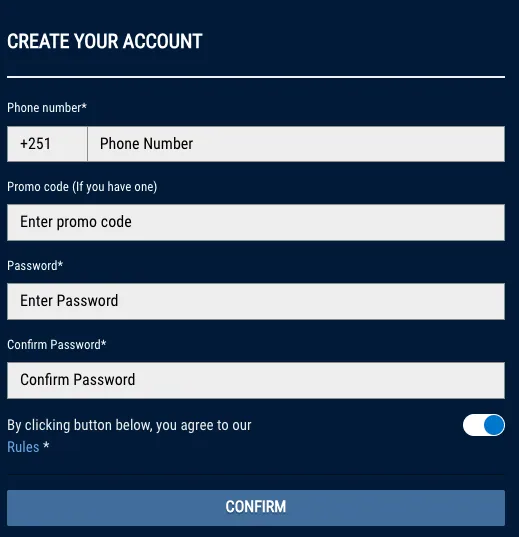
- Open the Vamos Bet site and press Register in the top bar.
- Enter your phone number (the +251 code is already there).
- If you have a promo code, type it into the promo code field. It is optional.
- Choose a password and repeat it in the confirmation field.
- Switch on the toggle confirming you agree to the Rules.
- Press Confirm.
Read the Rules before ticking the box. They cover bonuses, bets and account limits, and they are the document that settles any dispute.
Registration data at a glance
| Field | Required | Notes |
|---|---|---|
| Phone number | Yes | Ethiopian format, +251 prefilled |
| Promo code | No | Only if you have one |
| Password | Yes | Entered twice |
| Agreement to Rules | Yes | Toggle before Confirm |
Only phone registration is visible on the form. Other methods such as email or social sign-up are not shown there, so none are described here.
Account verification
The registration form itself does not ask for documents. Licensed operators generally request identity checks before a first withdrawal, and the exact list of documents and the waiting time are set out in the Rules. Check them before you deposit, not after you win. Payment options for the first deposit are covered on the Payments page.
Keep your details accurate
The name and phone number on the account should match your own documents and payment wallet. Mismatches slow down withdrawals.
Vamos Bet login on desktop and mobile
Login sits in the same place everywhere: the Login button in the top bar, right next to Register. Enter the phone number you registered with and your password.
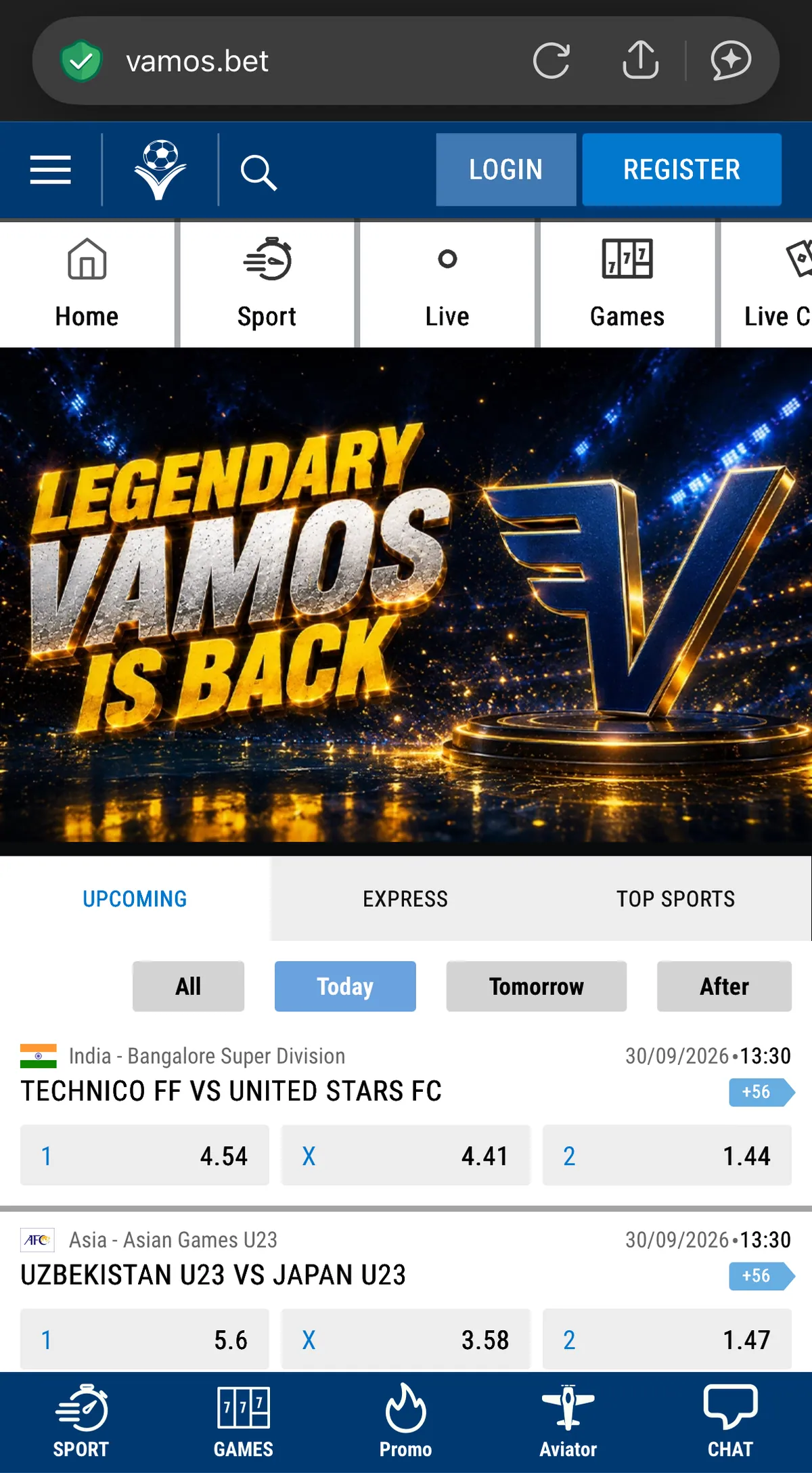
Desktop login
Open the site in your browser, press Login, fill in the two fields and confirm. Bookmark the address you trust so you always land on the right page.
Mobile login
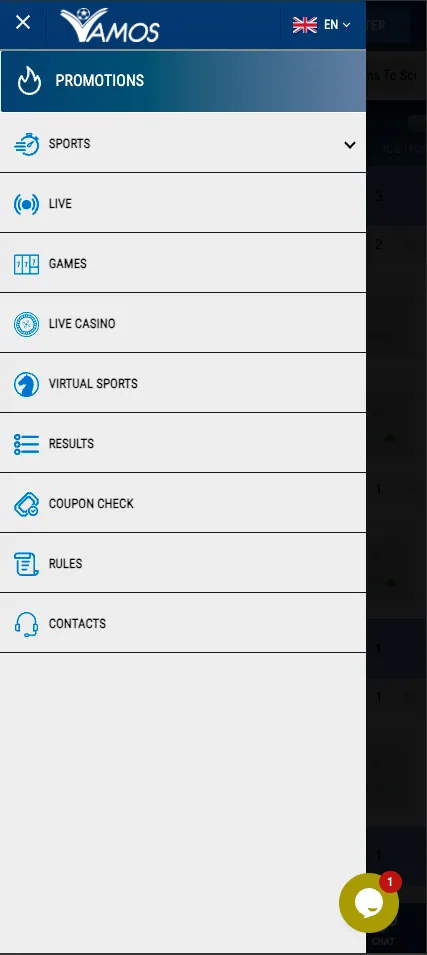
The mobile site works in any phone browser. Tap Login in the header, or open the side menu first if you want to browse sections before signing in.
Prefer an installed app? Signing in from the Android app works with the same details; see the App page for the download.
Forgot your password
If the login fails, check three things first: the phone number (prefix and digits), Caps Lock, and whether you typed a different password at sign-up. Still stuck? Look for the password recovery option on the login form, or ask support in the live chat. The exact recovery steps are not shown on the reference screens, so follow whatever the form offers.
Managing your account
Changes to a phone number or personal data, closing an account and setting limits are usually handled through support. Open the chat or the Contacts section from the menu and describe the request. Keep your registered phone number at hand to prove the account is yours.
After registration, the Bonuses page lists the welcome offer and other promotions, and it is worth reading the terms before you claim anything. To browse what you can bet on, head back to the home page.
Security basics
- Pick a long, unique password you do not use elsewhere.
- Never send your password or any confirmation code to anyone, support included.
- Log out on shared phones and computers.
- Use only the official links from the site header to sign in.
Frequently asked questions
How do I register on Vamos Bet?
Press Register, enter your phone number (+251 is prefilled), add a promo code if you have one, create and confirm a password, accept the Rules and press Confirm.
How do I log in to Vamos Bet on my phone?
Open the mobile site in your browser and tap Login in the header, then enter your registered phone number and password. The Android app uses the same details.
What if I forgot my Vamos Bet password?
Use the password recovery option on the login form if it is offered, or contact support through the live chat and confirm the phone number linked to the account.
Is a promo code required to create an account?
No. The promo code field is optional and can be left empty.
What is the minimum age to create a Vamos Bet account?
You must be at least 18 years old. One person can hold only one account.
Can I change my phone number or personal data?
Contact support through the chat or the Contacts section and describe the change. Have your registered phone number ready to confirm ownership.
Do I need to verify my account?
The sign-up form asks for no documents, but identity checks may be requested before withdrawals. The requirements are listed in the Rules.